Abandoned checkouts
See the buyers who gave their email at checkout but did not finish, and send them an email to come back.
When a buyer starts to check out on your store, types their email and then leaves without paying, the checkout is abandoned. RetailPrime lists it 10 minutes after the buyer’s last change.
In the sidebar, press Orders, then Abandoned checkouts. The page says it lists Checkouts with an email that were not completed, from the last 30 days.
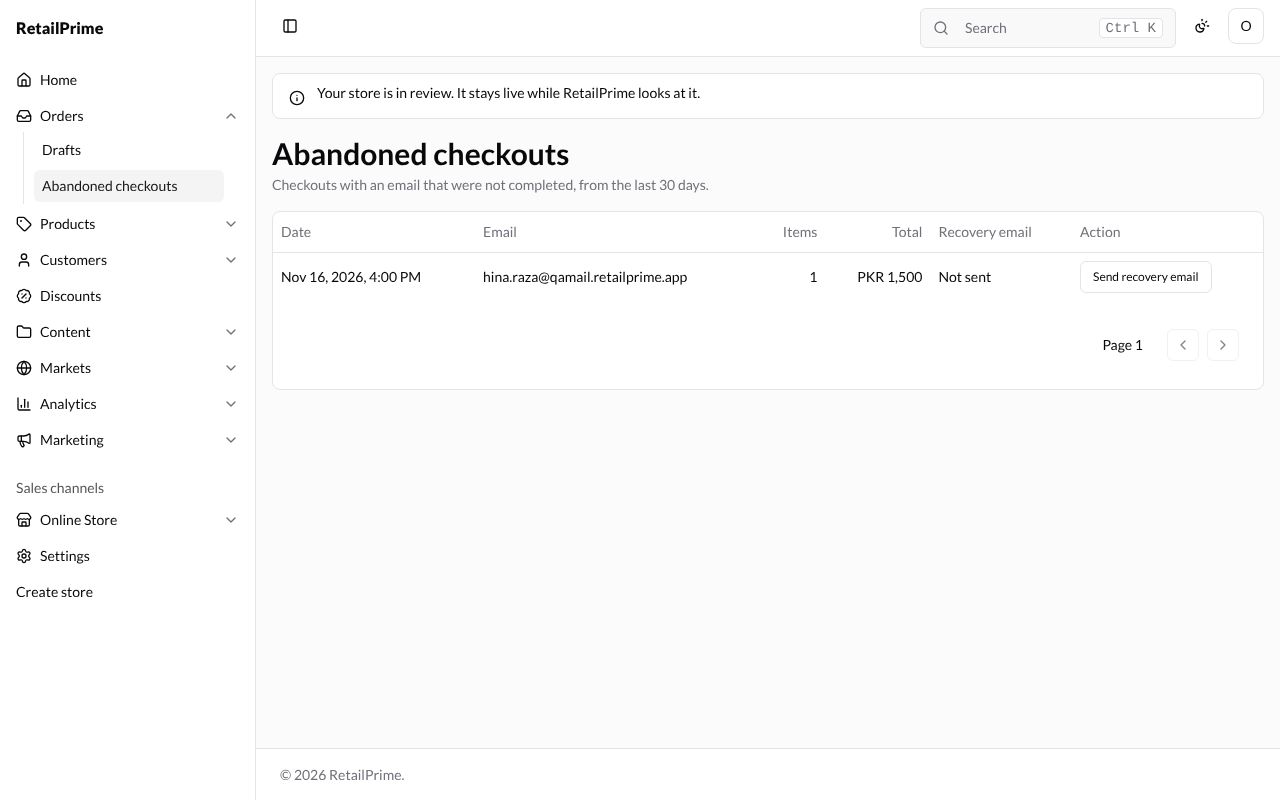
| Column | What it means |
|---|---|
| Date | When the buyer last changed the checkout |
| The buyer’s email | |
| Items | How many items were in it |
| Total | What it came to |
| Recovery email | Not sent, or Sent with the time |
| Action | Send recovery email |
When there are none, the page says No abandoned checkouts and Checkouts left for 10 minutes with an email appear here.
Send a recovery email
Press Send recovery email on the checkout’s row. The buyer gets an email with a link back to their checkout, and Recovery email changes to Sent with the time.
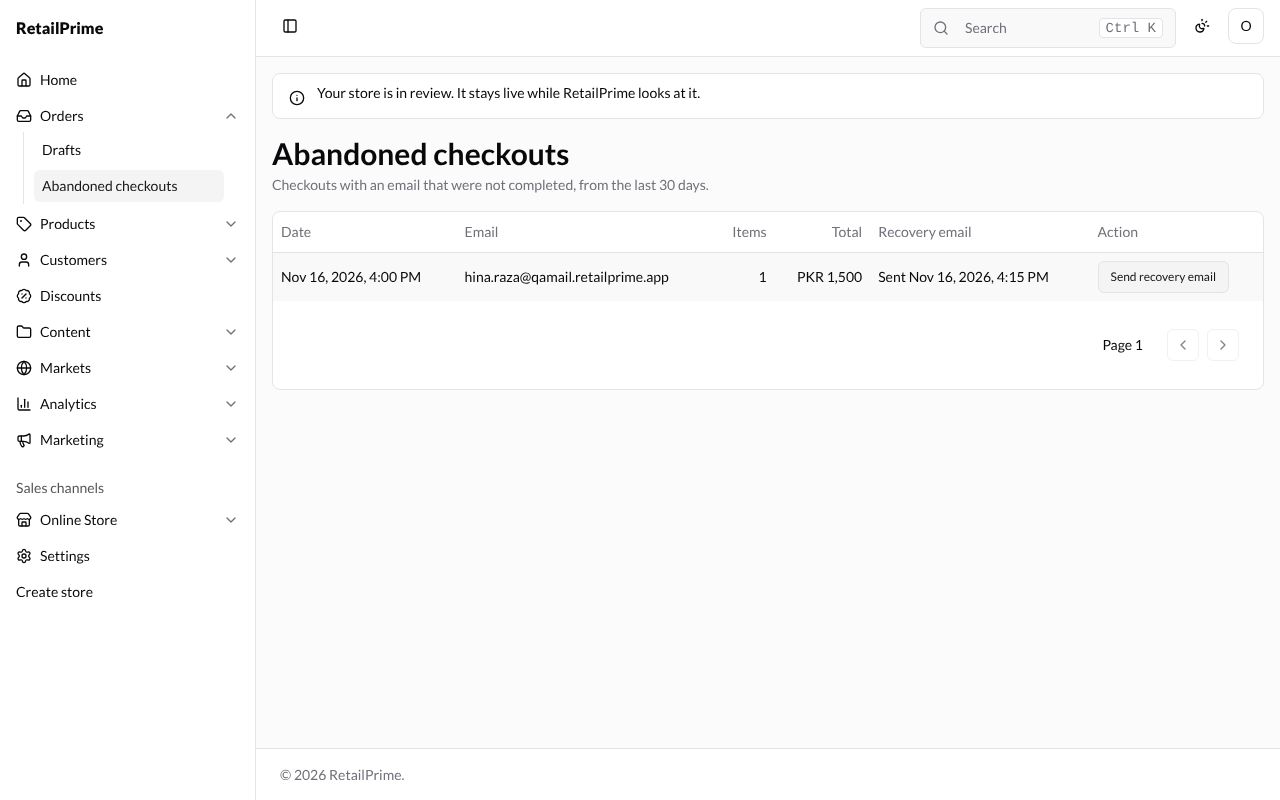
When the buyer comes back and pays, the checkout becomes an order and leaves this list.
What’s next
Companies: the businesses you sell to.